
A MOMENT FOR YOU
Make a little space for practice
Choose your practice days and time. Your iPhone reminds you, brings you back to your last goal, and helps you look back on the days you practiced.
Practice routine · on your schedule
A little space to find your voice
For the moments you want to speak well.
Record a little. Change one thing.
Find a voice that feels like you.
Free to download · iOS 18+ · Korean & English
Before the big talk. Before the interview. A little practice, every day.
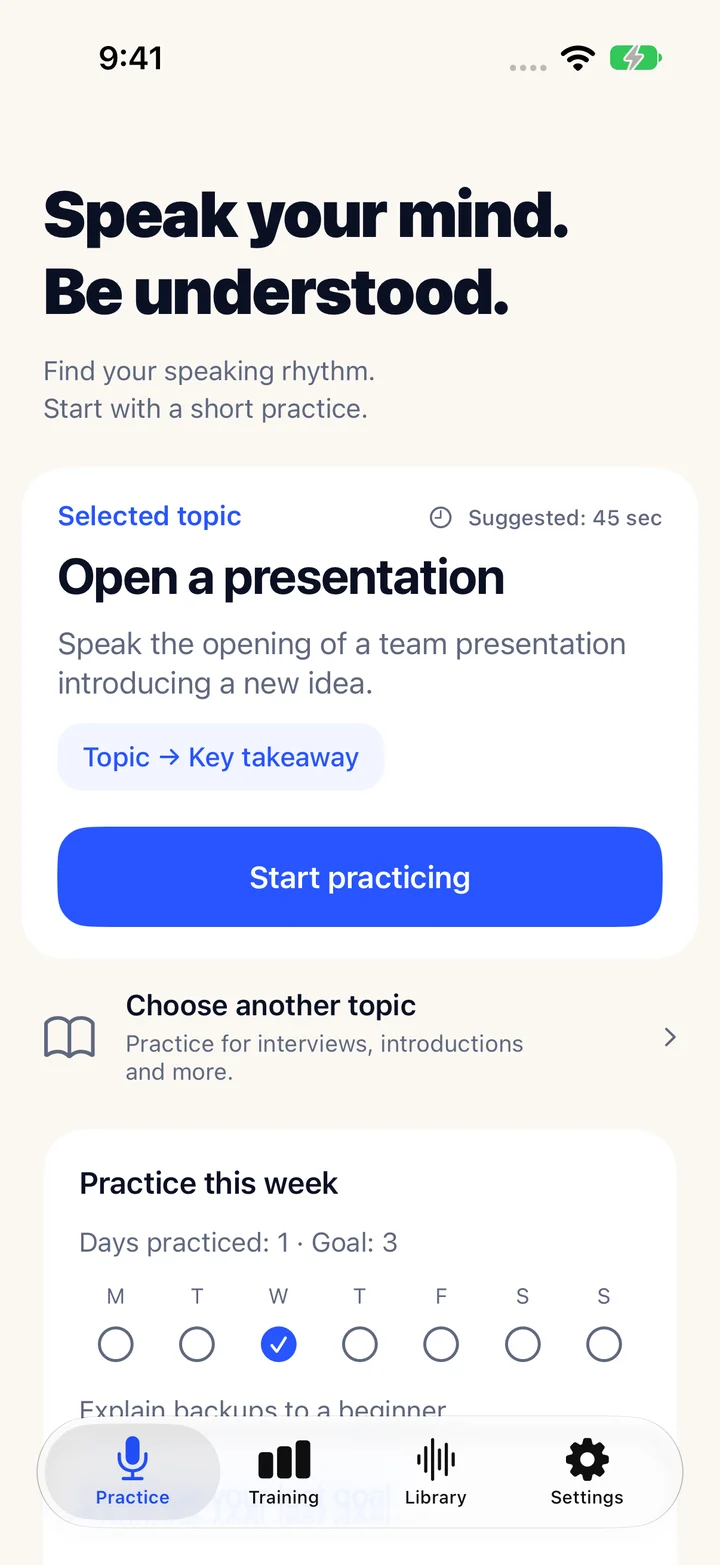
The real iPhone app
FOR EVERY DAY YOU HAVE SOMETHING TO SAY
SMALL STEPS, REAL PRACTICE
Give the words in your head a little room out loud. You only need one thing to try differently next time.
Pick a topic and record for up to two minutes. Add a note or a few keywords only if they help.
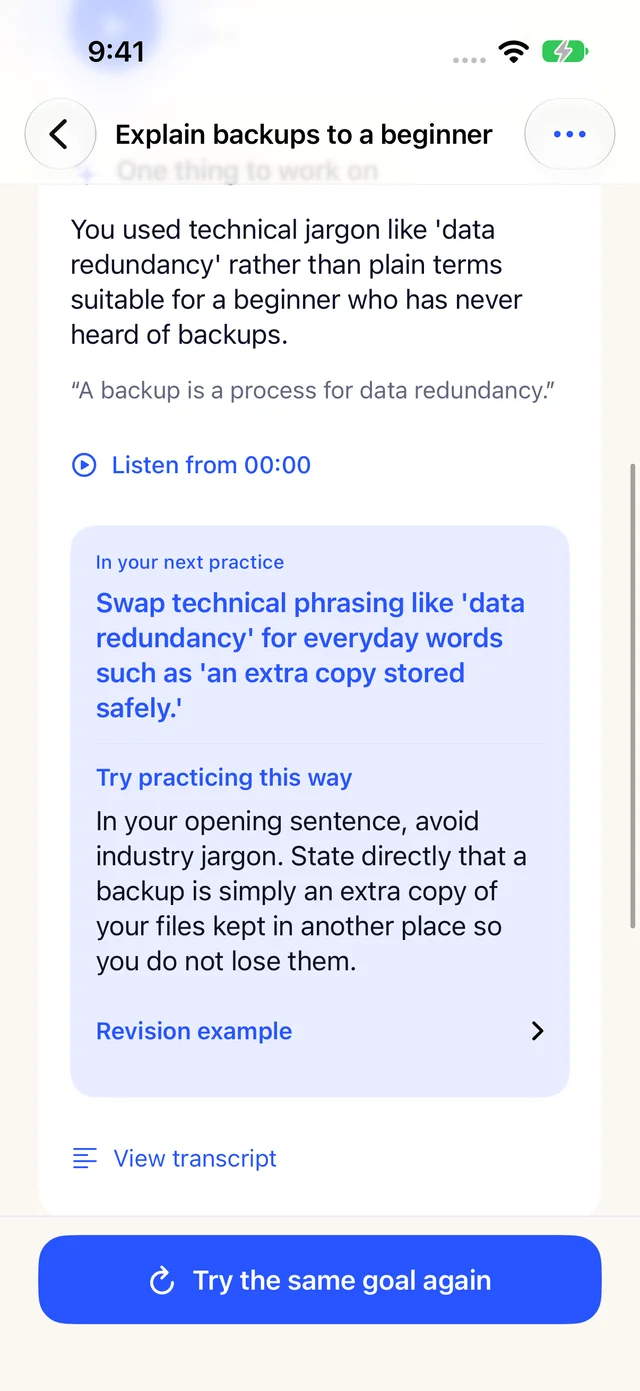
Listen to yourself. Request AI feedback for a concrete next action and, when supported, an example to try.
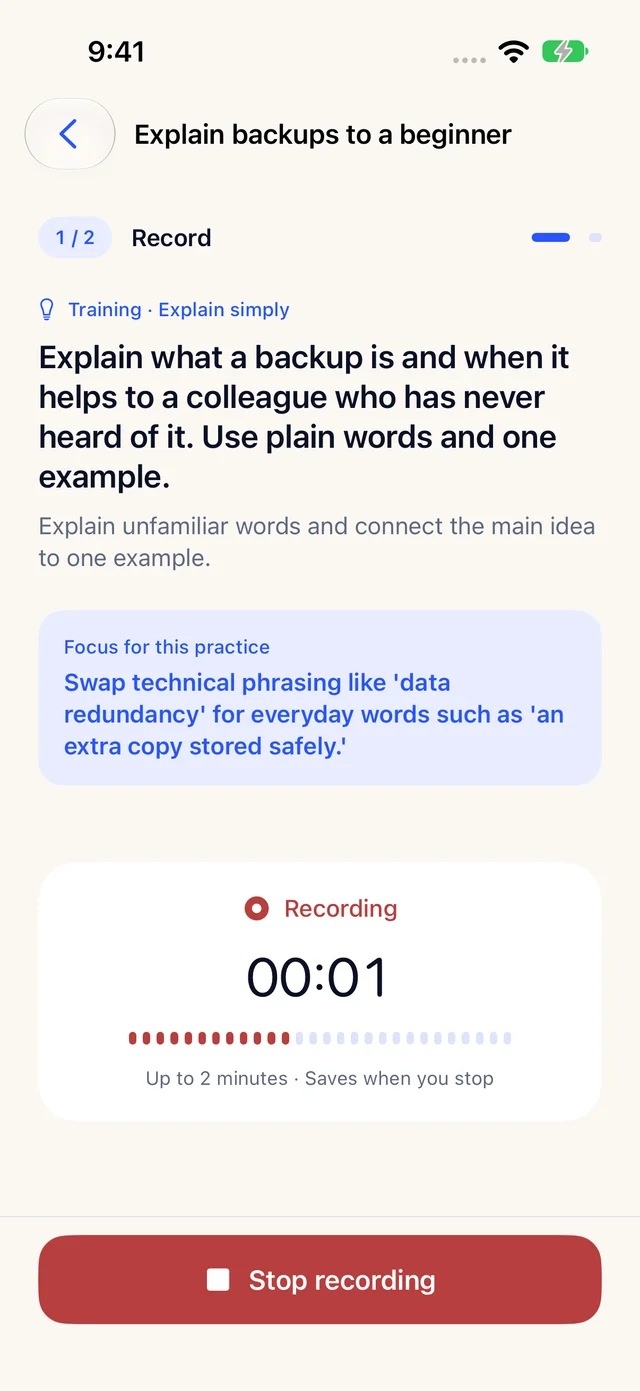
Record again with the same goal in mind. Listen back to your first and latest takes to compare them yourself.
Real app screens · example practice data
A LITTLE MORE INTENTION
From getting to the point to answering the unexpected. Choose a skill and give it a little practice.
9speaking skills
21training tasks
Selected introductory tasks are free. Plus unlocks the full training collection.
MAKE ROOM FOR YOUR VOICE
A MOMENT FOR YOU
Choose your practice days and time. Your iPhone reminds you, brings you back to your last goal, and helps you look back on the days you practiced.
Practice routine · on your schedule
Recordings and practice history stay on your device. Request AI feedback when you want it. Only a recording you consent to send goes through our server to Google Gemini.
Read the app privacy policyPractice on your iPhone
Choose a question, record a short answer, and find one thing to try in your next take. Watch the practice flow in the real app in 25 seconds.
Recording and re-practice are free. AI feedback requires Sign in with Apple. Some training tasks require Plus.
START SMALL. KEEP GOING.
Start practicing with your own voice for free. Choose Plus when you want more training and feedback.
YOUR FIRST BLOOM
Room for your first little steps
Record · listen · try again
Start with your first recording.
A LITTLE MORE BLOOM
For a deeper, steadier practice
Monthly or annual subscription
Explore Plus in the app
AI feedback requires Sign in with Apple. Only successful analyses count. AI allowances renew monthly even on annual plans, with no rollover. Review the price and renewal terms in the app before purchasing. Subscription terms
Bloom Speech is available for iPhone with iOS 18 or later. Questions, training, and new AI feedback follow your selected app language: Korean or English.
Yes. Recording, playback, re-practice, and local practice history are free and do not require an account. Sign in with Apple is required to request AI feedback.
Start with a short answer that suits the topic. Recordings can be up to two minutes. AI feedback requires at least 10 seconds. Short training tasks can also be completed by listening and reflecting yourself.
It shares observations, supporting evidence, and one thing to try in your next take. When there is evidence for it, you also get a concrete guide and revision example. AI can make mistakes, so use it alongside your own recording.
Recordings and practice history are stored on that iPhone. Cross-device syncing is not supported. You can delete local practices and your app account separately in Settings.
Manage renewal and cancellation in your iPhone Settings under Apple account → Subscriptions. Restore existing purchases in app Settings and request refunds from Apple. Deleting the app or account does not cancel a subscription.
Find a practice order and checklist designed for presentations, interviews, or meetings.
Rehearse a presentation by checking its point, flow, and pace in order.
Explore presentation practice 2Use a practice loop that reviews answer structure and delivery together.
Explore interview practice 3Practice opening your first point and proposing an idea in a meeting.
Explore meeting practice
LET YOUR VOICE BLOOM
Make a little room for your voice today.
Download on theApp StoreTake a look first ↗